Tag: card making

  • Cricut Joy Is A Joy To Use!

    Who all is getting crafty at home during the virus outbreak? I sure am, and taking lots of classes online, OH that reminds me! Did y’all know TombowUSA offers online classes?! Well, they do and I highly recommend the Dual Brush Pen Lettering Workshop. Creative Lettering looks soooo good on cards, scrapbooks, journals, etc. And with all of the time many of us have on our hands at this time it’s the perfect time to learn something new or get some practice in.

    NOW ON TO A LITTLE JOY, CRICUT JOY!

    I admit I’ve probably ordered way too much in the way of craft supplies and tools this month. In my defense it was National Craft Month and I ordered before the country pretty much got locked down. Prayers to all affected by this terrifying virus. Who knows when things will get back to ‘normal’. It’s scary and lonely at times. BUT, there is a bright side! More time at home with our families, and more time for hobbies. Cricut Joy really is a Joy to use!

    Ok, enough on that for now.

    I decided to make my hubby a card today, he is still working at his regular job as a machinist at this time. I know he is as nervous and anxious as most of the world. I thought I’d brighten his day a little. I put my new DIY Best Friend, Cricut Joy, to work. And made this cute card. I took pictures of most of the steps to share with y’all.

    First, I chose a design in the Cricut Design app, I have it installed on my iPhone and my iPad. This time I used my iPad and it’s sooooo easy!

    Then I picked out which set of Insert Cards I wanted to use. I chose the Charmed Sampler Pack which comes with 10 prescored cards, 10 inserts, and 10 envelopes, there are 2 of each style of insert. I used the blue triangles.

    Next, I placed the card on my Cricut Joy Card Mat. It’s really neat how it works, there is a sticky mat with a space between it and the blue mat. You take the folded card and slide the back of the card in between those layers. Then simply smooth the front of the card down to stick to the mat. Then you are ready to load!

    After you get the card on the mat select make on the app:

    And then you will be taken to the screen to choose Material Load Type (with mat or without) in this case it is with card mat. There are 2 sizes of card mat available so be sure and choose the correct one. Also, this is the screen to select mirror or not. No need for mirror on this project.

    Now you will go to the load screen, just load the card mat with attached card into the Cricut Joy. The arrow on the mat facing the machine. And select Go.

    The mat will load, the machine will start and the magic begins! I love this part! It’s so satisfying watching this little, yet powerful, machine fussy cut beautifully! I mean, I can’t cut a straight line much less an intricate design. And Cricut Joy makes it look so easy. It’s funny, my hubby is a CNC machinist and he’s kinda in awe that there are die cutters like the Cricut line, especially tiny Joy, that basically do what he does all day just not with metals (although some of the machines can engrave!) and without us having to write the programs.

    After the cutting ends, unload the mat and weed the parts that need to be removed. I like to weed while the card is still on the mat. Then remove the card from the mat.

    After the weeding is done and the card is removed from the mat, it’s time to add the insert. It’s easy peasy, just open the card and insert the insert into each cut out corner.

    Weeded and ready for insert!

    And, voila! The finished card! I just realized I forgot to adhere the insert to the inside of the card, oops. It looks much nicer when you use some kind of adhesive to the card stock between the insert and card front. You can learn from my goofs lol. I would use something like a Permanent Adhesive Roller.

    Darn it! He got home and found the card before I added adhesive. LOL, but he loved it so it’s all good 🙂

    Well, since hubby is home I guess it’s time to close the craft room for the night….maybe, ha, maybe just a little break.

    Stay safe and healthy, practice social distancing, handwashing, ok, I know you are probably as tired as me of hearing that. It is important though.

    I’m praying and sending out healing vibes for everyone in the world, especially our most vulnerable, and healthcare workers, government officials. Take care everyone. I hope you can lose yourself a little of everyday by crafting or taking classes online.

    xoxo~Dawn

  • The Best New Craft Tool!

    Have you heard the most JOY-ous news?! There is a new Cricut and her name is Joy, Cricut Joy to be exact. This new little bug is going to be my new best friend and I think it will be a great addition to every crafter’s arsenal of tools! I know for sure she is the best new craft tool for me!

    SQUEEEE!! Joy IS HERE!

    I gotta say, Cricut Joy could not have arrived at my home at a better time.
    At a time of uncertainty, fear, and for many of us isolation, who couldn’t use more Joy?! Look how doggone cute it is (see below)! I’m over the moon with excitement!

    Just imagine, a powerful, lightweight, and easily portable die cut machine. If you go to crops, card making meets, craft fairs, etc. You can easily take the Cricut Joy along. It’s easy to move from place to place, there’s even an adorable tote available for her, design on your phone using the app, your tablet or iPad. Maybe you wanna work at the kitchen table while the kids do their homework? No problem! Grab Joy and a few supplies, your phone, laptop, or tablet and go for it!

    WHAT’S IN THE BUNDLED BOX?

    1. The adorable Cricut Joy.
    2. Welcome Card.
    3. Blade plus housing. (it comes installed in the machine)
    4. Practice materials to try out.
    5. 50 ready to make projects for Design Space.
    6. A power pack.
    7. Fine point pen in black.
    8. Card Mat.
    9. 1- 5.5″ x 10′ roll of Smart Vinyl, permanent, in Black.
    10. 1- 5.5″ x 10′ roll of Smart Vinyl, permanent in White.
    11. Insert Cards in Princess Sampler.
    12. 1- 5.5″ x 24″ Smart Iron-On in Gold.
    13. 1- 5.5″ x 24″ Smart Iron-On in Silver.

    Cricut Access Only: Save 40% off Select Machine Tools! Valid through 3/24.

    If you are an Access member you can snag the Cricut Joy Bundle at a nice discount! Plus Access members get lots of perks:

    1. Over 100,000 images in Design Space.
    2. Tons of fonts to use.
    3. All kinds of ready to make projects.
    4. And exclusive discounts on everything Cricut! Including, member only discounts such as on the Cricut Joy Bundle!

    ***As of this writing the Cricut Joy Bundle is out of stock but you can be notified by email when it becomes available again. If you can’t wait Cricut Joy is available and you can order just what you want to go with it!***

    Smart Vinyl is Smart!

    Smart Vinyl for the Cricut Joy! It’s so cool. It is made specifically for Cricut Joy, cuts without a mat, and features special edges that guide it through the roller. You can cut individual designs up to 4′ long. And cuts that repeat up to 20′ long.

    The CARD MAT is AWESOME!

    The Card Mat makes it easy to create layered cards!
    1. Simply remove from the outer packaging and remove the clear protective film from the front of the mat.
    2. Be sure to press the sticky part of the mat against a t-shirt several times to make it a little less tacky. Trust me, just like a regular mat, this little dude is super tacky and I messed up my first card cause it was stuck so well lol.
    3. The cards come prescored and folded. Open the card and slide the back between the blue mat and the sticky part and fold the front over the sticky. Press the card front down over the sticky mat.
    4. Choose your design in Design Space and follow the prompts to begin the cut.
    5. When prompted, unload the mat.
    6. Use your weeding tool to remove the loose pieces. Be sure to use something to lift the card away from the mat. If you made the mat less tacky this is much easier, if not, take extra care. After I took away some tackiness my second card was perfect.
    7. Now, with the card free of loose pieces, simply slide the insert into the cut corners in back of the card front!
    8. You now have a gorgeous card that didn’t cost $5+ and the recipient will love it!

    A FEW THINGS TO BE AWARE OF

    1. Cricut Joy uses pens and markers exclusive to the machine. Others would be too long. There are even special Infusible Ink pens just for Joy!
    2. Cricut Joy can cut 50+ types of materials, including but not limited to cardstock, vinyl, iron-on, paper, and more! Just use a Cricut Joy standard grip cutting mat or LightGrip cutting mat. *1- 4.5″ x 6.5″ mat is included with machine*. 4.5″ x 12″ Standard Grip is also available as well as 4.5″ x 12″ LightGrip.
    3. Cricut Joy can cut without a mat when you use the exclusive Smart Materials.
    4. You may never wanna leave home without Joy!
    5. You aren’t limited to using the Insert Cards, you can cut the cards out of regular card stock and cut your own insert to fit the corner slots! But the Insert Cards are pretty awesome 😉
    6. You do need high speed internet, WIFI, and bluetooth to use the machine.

    MY FIRST DRAW/CUT WITH JOY!

    I did a quick little tag out of white cardstock with a cute saying drawn. The Cricut Joy handled it beautifully!

    I plan to do a video of using the card mat and Insert Cards next. With all of this extra time from staying home I’ll have plenty of time for crafting Lord willing.

    Stay safe everyone. My prayers are with everyone over the crisis we are experiencing at this time.

    xoxo~Dawn

  • My Cards for the March Challenges!

    It’s time for March National Craft Month! A Quirky Crafter is hosting a month of card making challenges on the blog. One lucky random winner will receive a $50 gift certificate to Scrapbook.com. 1 entry per day per person. There is a list of the daily challenges for March HERE. There is a $50 gift certificate to my favorite online craft store up for grabs.

    March Card Challenges Day 1: My Spring card features the lovely Penny Black Stitched Flowers. I used Doodlebug twine to embellish. Simple coloring with markers, paper tearing and layering. And I added a stitched tag die by Technique Tuesday with 2 word stamps from my stash. I inked around the floral image edge with a dark brown to enhance. Easy peasy!
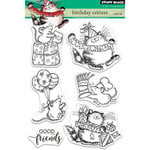
    March Card Challenges Day 2: This was a day to create any kind of card and to embellish with buttons. Buttons aren’t my strong suit for sure but I included some! I used the darling Birthday Critter stamp set by Penny Black, Bazzil Cardstock in Berry Blush for the card, and patterned papers from my stash. I watercolored with Prima Watercolor Pencils using Prima water brushes. I stamped the image using Ranger Archival Ink in Jet Black.
    March Card Challenge Day 3: Palette challenge. I used an adorable set by Stamping Bella Bunny Pile Stuffies. I stamped the image with Ranger Archival Ink in Jet Black onto Water color card stock, then colored in with Prima Watercolor Pencils using Prima Water Brushes. The pink textured cardstock is by Bazzil Cardstock in Berry Blush. I played with Nuvo Crystal Drops in Party Pink, it was a challenge for me, I need to figure out how to get the drops uniform sized. I found a great Youtube video for using Nuvo Crystal Drops! Check it out below!
    March Card Challenge Day 5: For this challenge I went to my Pinterest Card and Rubberstamping Board and chose this card by Michelle Mills a Stampin’ Up demonstrator as my inspiration. I knew I had the perfect stamps to use. Unity Stamp Co. designed a set to benefit the animals harmed in the Australian wildfires. The set is called Koala-ty Friend and it is absolutely precious. 50% of proceeds benefit the Australian Wildfire Relief. The stamp set is so sweet and versatile. I’m not affiliated but as an animal lover it touches my heart.
    March Card Challenge Day 6: I kept this one very simple. Just black ink on a kraft panel. I used Hero Arts Daisy and Bug set that includes dies.
    March Card Challenge Day 7: This one was a lot of fun! And easy, didn’t really have to think about colors since I really only had the one in different shades. I used Penny Black Birthday Critters and washi tape from my stash.
    March Card Challenges Day 8 Cute Animals: I used If Cows Could Talk by Taylored Expressions. Plus a premade card and papers from my stash. Along with Pink Fresh Studios Stitched Rectangle Dies, and Nuvo Ebony Black Crystal Drops for the eyes. I used Zig Clean Color Real Brush Markers to color.

  • Craft Stash Buster Card Challenge and Giveaway!

    Do you have a craft stash or hoard? You know, things you just had to have, were gonna use, but after you put them away or stuffed them in a container….poof they went into a crafty black hole? Or is your craft area super organized and you know exactly what all you have and where it is located? Or is it like mine and when you want to find something it’s almost like you are at a craft store discovering things for the first time? Yup, that’s me.

    I was looking for a particular stamp set of Spring critters with its matching dies….for 3 days! While I was looking I found sets and embellishments, etc, that I swear I’ve never seen LOL. Such as this adorable set that I got years ago from Studio Calico. It doesn’t appear to be available now but you might find it on one of the Facebook groups that buy, sell, trade or destash.

    When I found that set I just had to use it, that’s when I decided to do a monthly Stash Buster Challenge here on the blog! The challenge being to pull out an old stamp set and create a new card with it. For the March Challenge I chose this set and here’s the card I created. And yes, there’s a half green cloud lol, I picked up the wrong marker by mistake. No judgments if you have little ‘errors’, I consider them artistic expression lol. Like, hey, I meant to have a half green cloud! Kinda like the cat that falls and tries to act like “What you are gawking at, I totally meant to do a somersault off of the back of the couch”.

    RULES

    • Pick from your stash an older stamp set or single stamps to use.
    • Create one new card using the stamps.
    • You may enter up to 2 times.
    • Email your entry(s) to challenge@aquirkycrafter.com by March 30, 2020.
    • Include what company the set is from (if you know) and what set it is.
    • If you used a special technique please share if you can.
    • USA entries only please.

    The winner will be randomly picked by a random number generator on March 31, 2020. And notified by email as well as announced on this post, and via my newsletter. The winner will receive 3 never used stamp sets from my stash. I will mail them to you the first week of April 2020.

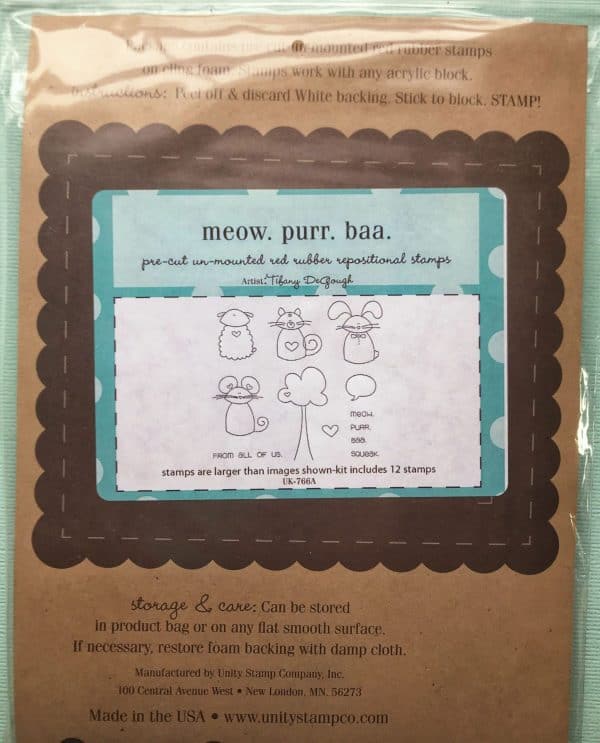
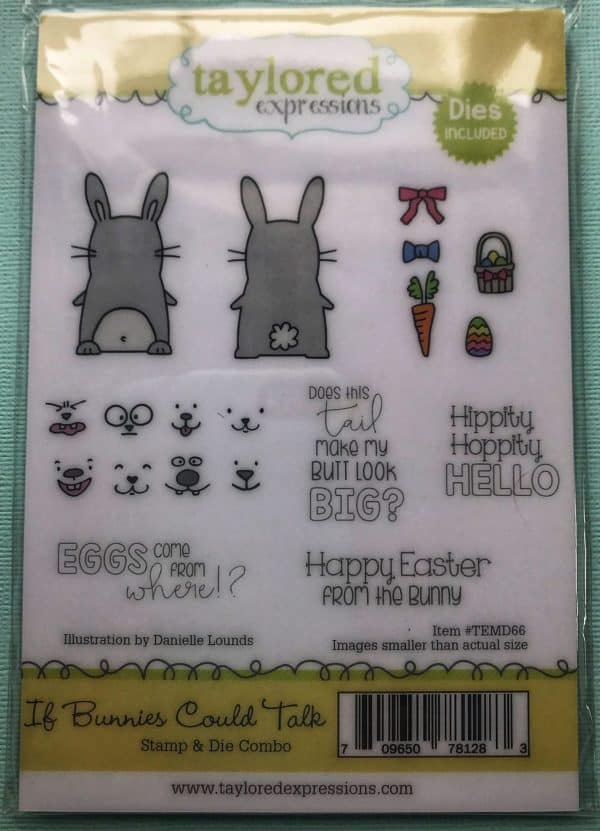
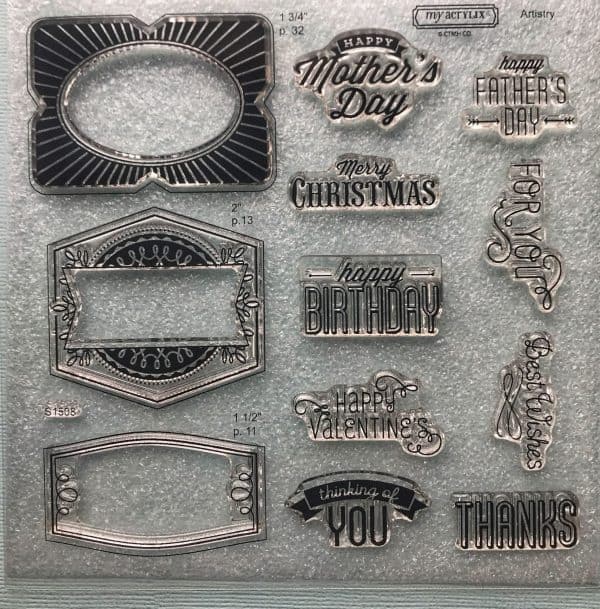
    The 3 sets are shown below and are brand new.

    **By entering you are giving me permission to display your card images on the blog here, I will credit you and if you have a blog I will link it up.**

    Have fun and let’s share some stash busting inspiration!

    xoxo~Dawn

    You are invited to the Inlinkz link party!

    Click here to enter
  • Lovely Water Colored Card

    How’s everyone doing this weekend? It’s been a crafty one at our home. I made a card with the lovely Simon Says Stamp March Card Kit. If you didn’t seen my unboxing video check it out! The kit is stuffed full of gorgeous goodies.

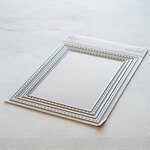
    I chose to use the lovely daisy card panel by Suzy Plantamura. The card panels are printed on water color cardstock and makes a lovely water colored card even quicker. The paper is a fantastic weight and die cuts beautifully, check out the stitched border!

    I used the cornflower blue card stock for my card, sorry for the black background, I’m still learning about blog photography. I water colored using the included pencils and a water filled brush pen. After it dried I affixed the panel to the card and attached the hello die cut.

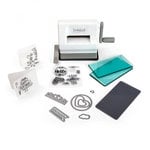
    The stitched die is by Pink Fresh purchased at Scrapbook.Com. I die cut the hello using my new Sizzix Sidekick Starter Kit. The Sidekick is amazing, it came with the plates, some dies, stamps, and it’s so cute! It’s perfect to leave on your craft desk to cut those little dies and even has a suction feature to hold it.

    I can’t wait to create more projects using this amazing kit. I haven’t even taken the stamps out of the plastic yet!

    Happy crafting and enjoy the rest of the weekend.

    xoxo~Dawn
  • An Unboxing of My Crafty Haul

    **this post contains affiliate links I purchased products to create projects to share on my blog, any opinions are mine**

    I’m so excited to show y’all my craft haul from Scrapbook.com! I got an amazing box of goodies to play with. There were some things that I had been pining for that I finally ordered. I had been wanting some stitched dies for a while, I love the way they dress up a card background.

    I created my first ever video, don’t laugh, I was kinda nervous, I was sitting in the floor, and my craft room is a mess right now. Here it is take a peek!

    Some of My Favorite Parts of the Haul

    I am so excited and eager to play with the Sizzix Sidekick, I love how light and portable it is. The Big Shot is too big for my table and most of the dies I use are tiny ones. So this little guy is perfect for me.

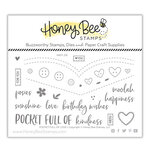
    I had a bit of a theme going with stitched dies and stamps, as well as denim lol. It wasn’t really intentional but once I saw the adorable Honey Bee Pocket Full of Love stamps and dies it just kinda happened.

    I love that with any purchase you get a copy of the fantastic magazine Scrapbook and Cards Today. I always read it cover to cover and usually more than once! There are so many great ideas and inspiration. The pages are made with a nice weight of paper, and it’s free with purchase. With scrapbook and card making magazines pretty much obsolete now this magazine is very welcome.

    Coming Soon….

    Over the next few days I will be creating some cards using the new goodies and I’ll be sharing those with you guys! Oh, and stay tuned, I have another haul to unbox, hopefully I’ll get that one posted today. I have to admit even through my awkwardness it was kind of fun to do the video, took me way out of my comfort zone. Next time I do videos I hope to be more organized and less nervous.

    Happy crafting!

    xoxo~Dawn
Quirky Digitals